Cooking & ratings
The recipe view
Every dinner on your board opens into a full recipe view — the page you actually cook from. Ingredients, numbered steps, what it serves, and what it adds up to per plate. Open it from the board: click a card on the web and it opens as a modal; on the phone it opens as a detail screen.
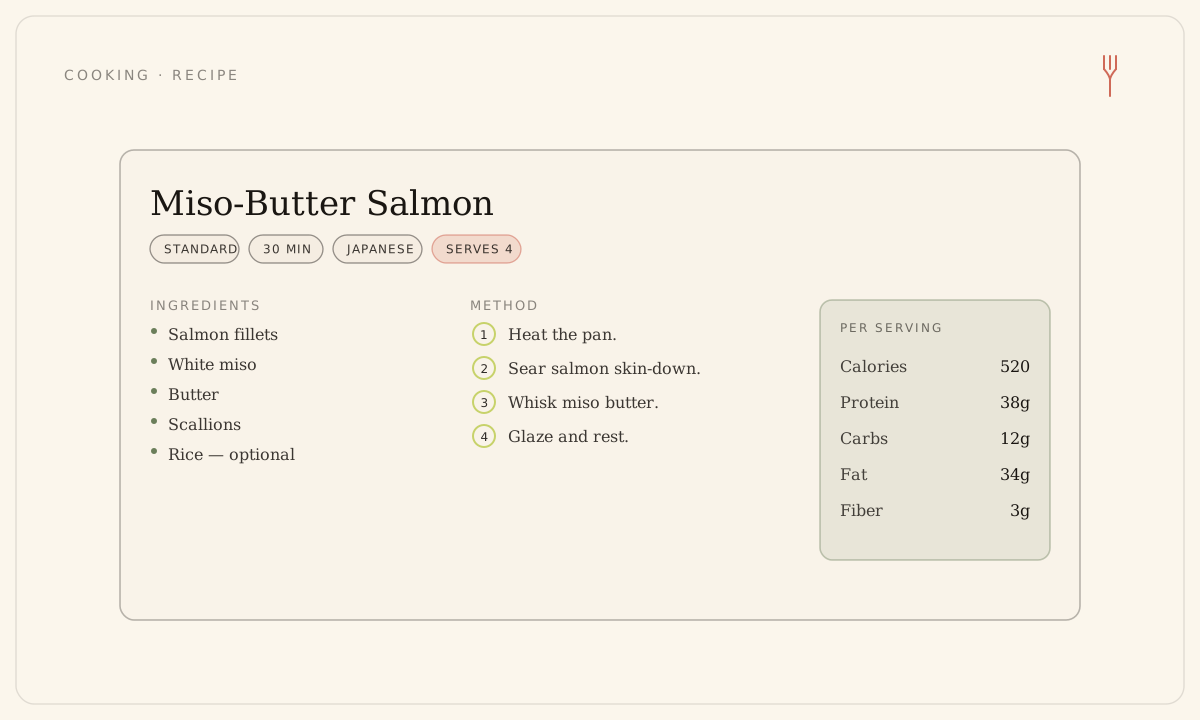
What's on the page
The view reads top to bottom, the way a recipe card does:
- A meta row — the effort tag, total time in minutes, the cuisine, and 'serves N', the number of plates the listed quantities yield.
- A 'Contains' line naming any allergens in the meal.
- A per-serving nutrition card: calories, protein, carbs, fat, and fiber. It's labelled 'estimated' when the figures are an estimate. A meal with nothing on file shows 'Not available', and fiber shows '—' when it's unknown.
- The ingredients list — required items first, then anything marked '· optional'.
- Numbered 'How to make it' steps. A step may carry its own time or a temperature.
Quantities follow your household
The amounts and the 'serves N' yield aren't fixed to the original recipe — they're scaled to your household's serving target, and shown in the measurement system you've chosen (metric or imperial). Change either and the numbers on the card move with you. A few older meals predate this and may show 'No ingredients on file yet'; the rest of the card still loads.
Open it full-page, or flag a problem
- On the web, open a dinner card to read it in the modal. For a roomier, linkable view, use 'Open in full page' to load the standalone recipe page.
- Cooking from a past week? The recipe still opens — past weeks are read-only, but the view is all there.
- If something looks off — an allergen, an unsafe step, instructions that don't track — use 'Report a problem'. That valve stays available even on past weeks.
Reporting a problem is a quality and safety flag, separate from a thumbs-down. A thumbs-down is a private taste signal; a report can pull a shared recipe out of circulation.
Still stuck? Email hello@forkboard.app.