Account & billing
Plans & billing
Forkboard has one free plan and two paid tiers. Everyone starts on a 7-day trial of full Solo features with no card, and every billing decision after that — upgrade, switch, cancel, refund — runs on its own from your account. Here's what each plan gives you and how the money works.
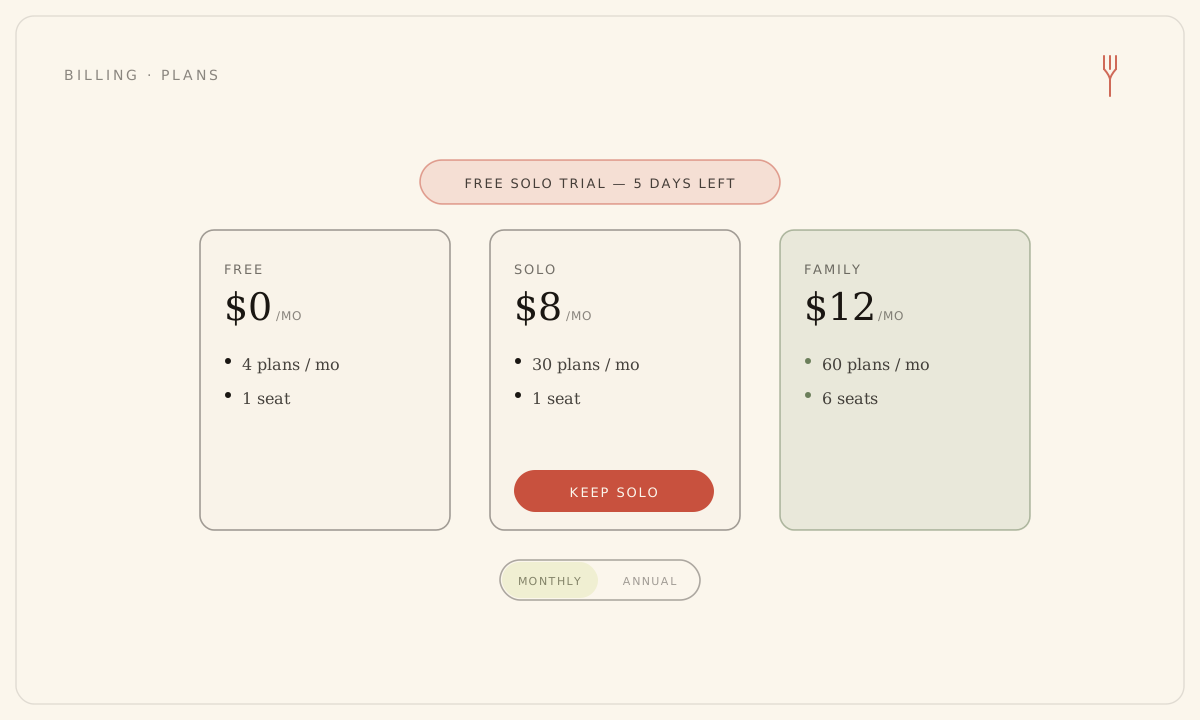
The three plans
Open Settings, then Billing, to see the three plans side by side. Toggle between Monthly and Annual — annual shows the effective monthly rate and what you save.
- Free ($0) — 1 seat, cooks for 1, 4 plans and 8 pantry scans a month. Permanent, no card.
- Solo ($8/mo or $59/yr, about $4.92/mo) — 1 seat, cooks for 2, 30 plans and 20 scans a month, with pantry and leftover intelligence.
- Family ($12/mo or $99/yr, about $8.25/mo) — up to 6 seats, cooks for up to 6, 60 plans (pooled across the household) and 40 scans a month, with household taste-blending.
Two things to keep straight. Generating a week and swapping a single meal draw from the same monthly plan counter — pantry scans have their own separate counter — and both reset at the start of each calendar month. And "seats" and "cooks for" are different: Solo is one seat but still scales recipes for two.
Your 7-day trial
A new household starts on a 7-day trial of full Solo-quality planning, no card required — 15 plans and 10 scans for the window. The Billing page counts down the days and offers a Keep Solo button straight to checkout, and a reminder email lands three days before it ends.
When the trial ends without payment, nothing locks. You drop to Free, and your boards, ratings, and share links stay exactly as they were.
Upgrade, switch, or cancel
- In Settings, then Billing, pick Monthly or Annual, then Upgrade on Solo or Family. On the web this opens Stripe Checkout; the tier updates a moment later.
- Already paying? Switching tier or interval happens in place — no second checkout — and the prorated difference is settled for you.
- To cancel, click Cancel plan. A dialog shows your exact refund, if any, before you confirm.
- In the phone apps, subscriptions are bought through the store — Apple on iPhone, Google Play on Android. Manage or cancel a store-billed plan there: iOS Settings, under your Apple ID and Subscriptions; or the Play Store, under Payments & subscriptions.
Billing actions on the web — checkout, the customer portal, and cancellation — are limited to household owners and admins. In the phone apps, any member can subscribe with their own Apple ID or Google Play account.
Refunds
Refunds are worked out from your live billing and run on their own, so the outcome is predictable:
- Within 14 days of your first charge: a full refund, and your plan ends right away.
- After 14 days on a monthly plan: no refund — the plan runs to the end of the term you paid for, then drops to Free.
- After 14 days on an annual plan: a pro-rated refund for the time you didn't use, and the plan ends right away.
Any refund returns you to Free with boards and share links intact. The 14-day window is measured from your first charge — not the end of the trial, since the trial takes no card. Deleting your account also cancels and refunds under the same rules.
Still stuck? Email hello@forkboard.app.